Refreshed Look, Same Great Functionality!
We refreshed the MuniciPay experience to make it cleaner, more modern, and easier for your customers to navigate. Although some options may look different or appear in new locations, the payment features your customers rely on remain available.
A Cleaner, More Intuitive Payment Experience
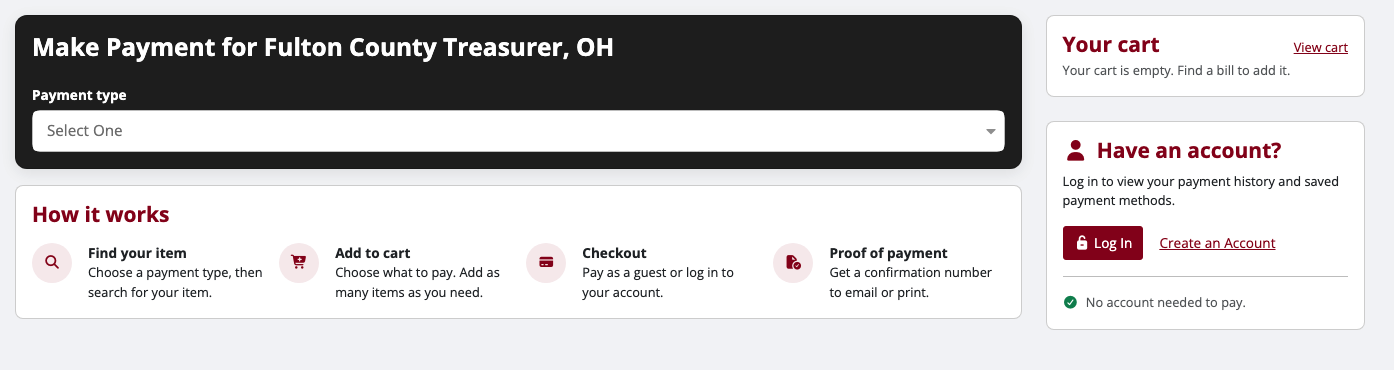
The refreshed landing page makes it easier to choose a payment type, locate items, and move through the payment process.
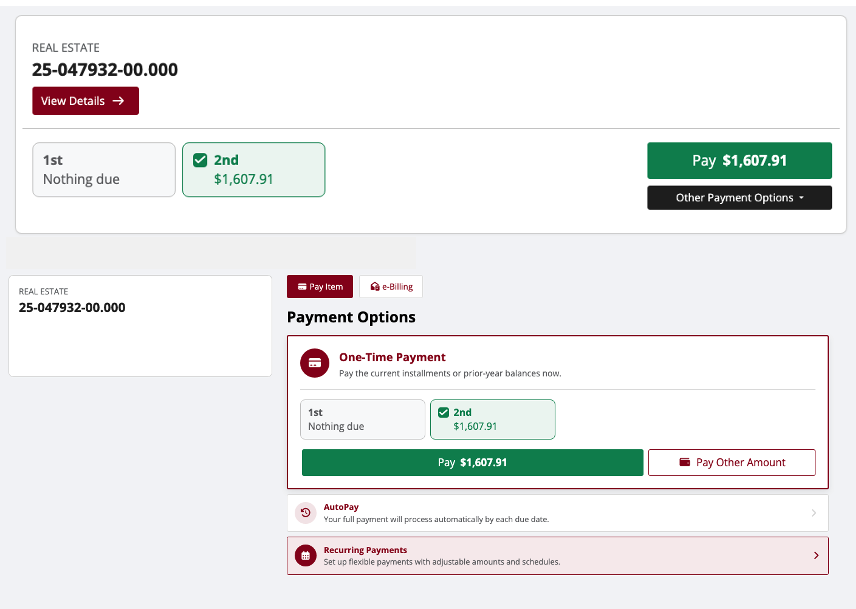
When a customer selects View Details, the updated item details page now presents information in a clearer, more organized layout.
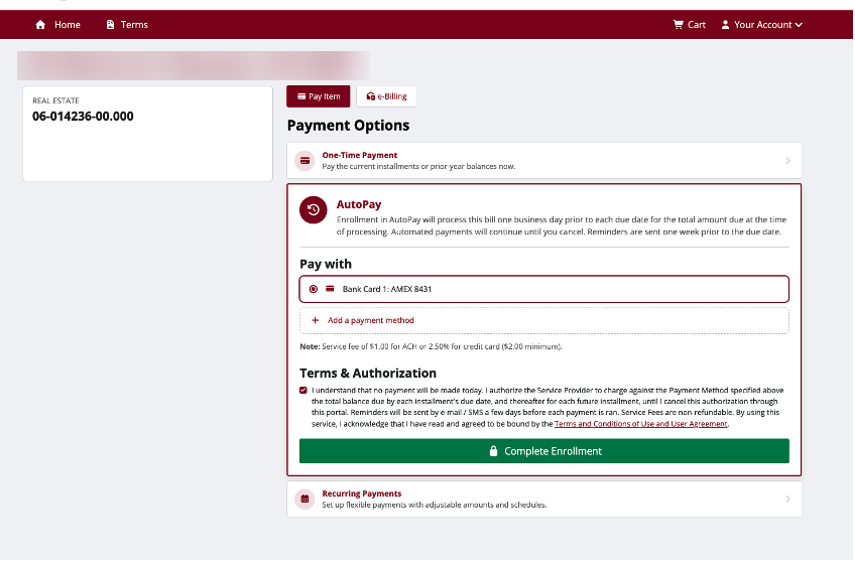
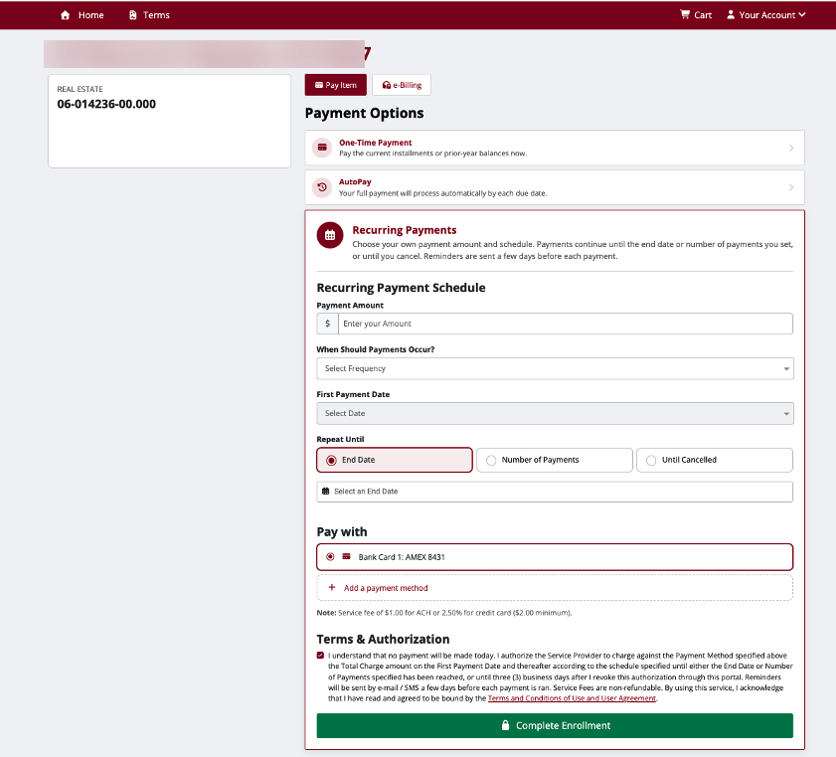
Simplified AutoPay and Recurring Payments
Customers can now enroll in AutoPay or set up Recurring payments with a more streamlined experience. Clear sections for payment schedules, payment methods, and authorization help reduce unnecessary navigation between pages.
Clearer Scheduled Payments and Saved Wallets
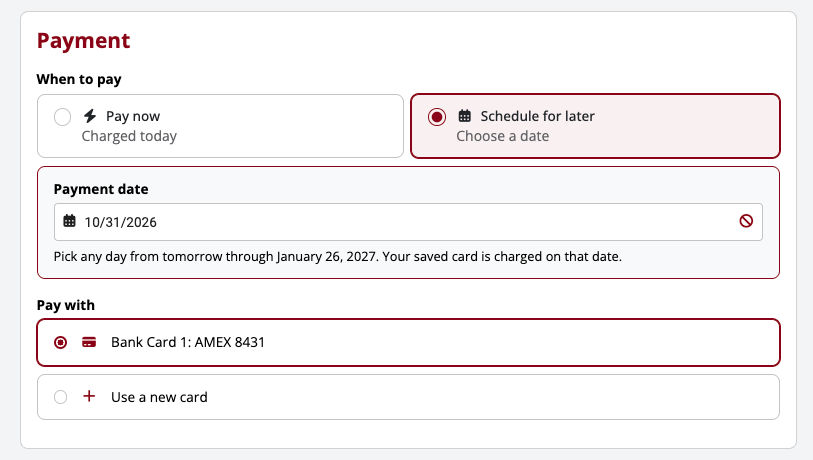
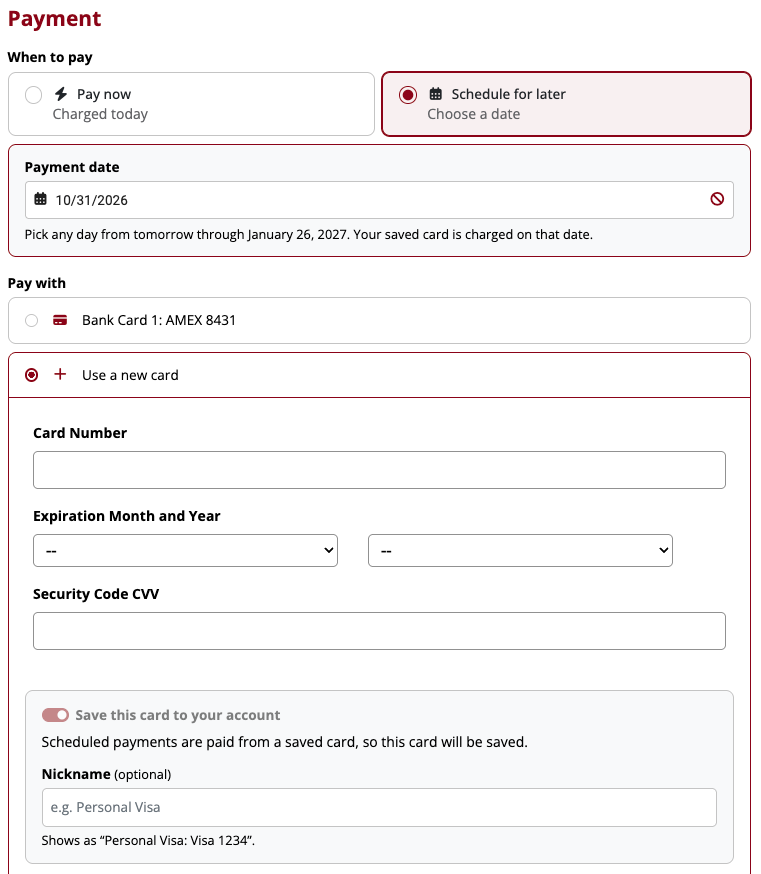
We've simplified on screen text and instructions so customers can more easily choose pay now or schedule for later, select a payment date, and pay using a saved card or a new payment method. The updated wallet selection makes existing payment options easier to recognize, while the new card form presents the information needed in one organized place.
Simplified Payment Method Selection
Payment methods and customer information are presented in a clean, organized layout.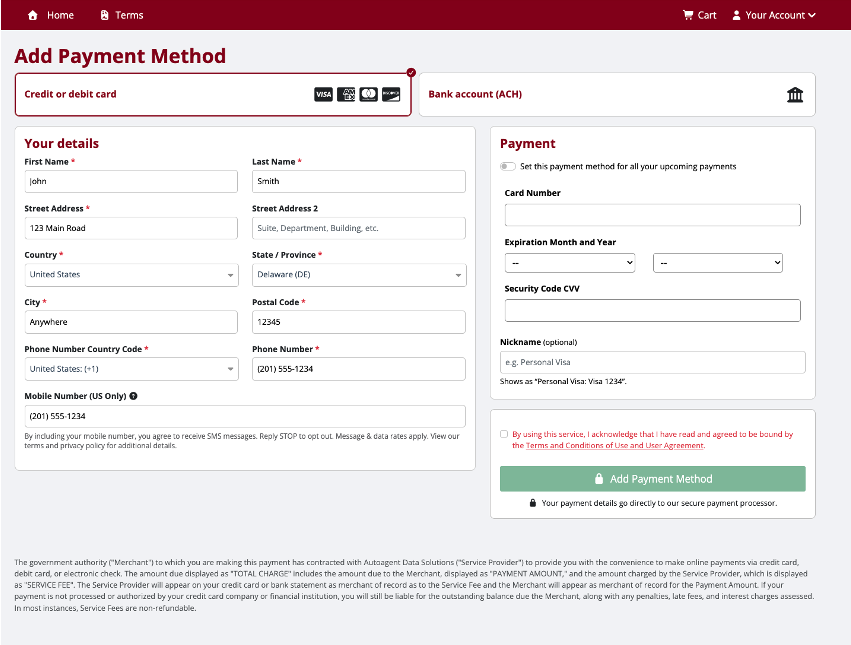
An Improved Checkout Experience
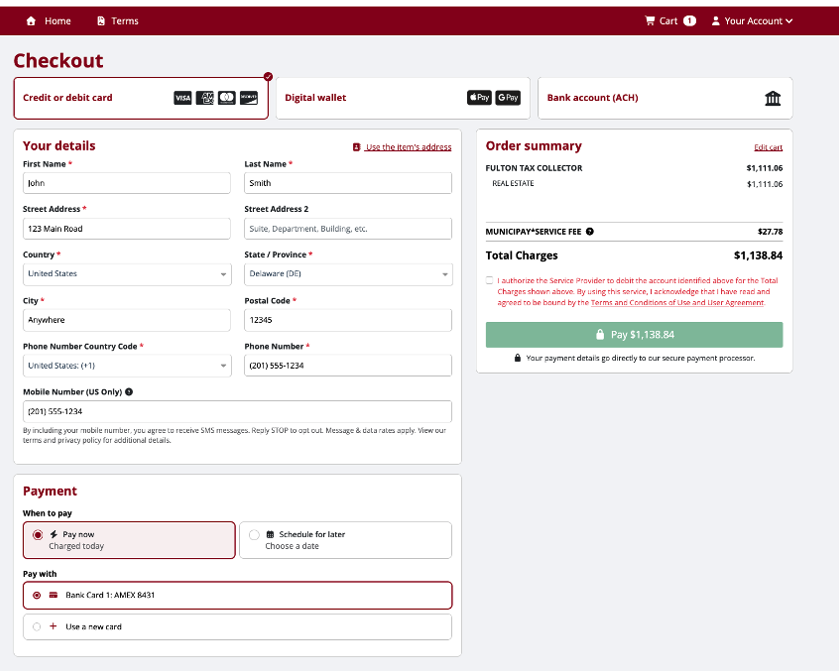
The updated checkout layout makes payment choices, billing details, and the order summary easy to review.
A Better Experience on Mobile
We have also refined layouts and cleaned up the mobile experience making it easier for customers to read information, select payment options, and complete transactions on smaller screens.
Additional Security Enhancements
As automated attacks become more common, protecting your office and your customers remains a top priority. We've introduced additional security enhancements and protective layers to help strengthen the MuniciPay payment experience against evolving threats.
What this means for your office
No action is required. Your customers can continue using the same MuniciPay payment features and options, now with clear instructions, more intuitive screens, streamlined enrollments, improved usability, and enhanced safeguards.
MuniciPay
Refreshed Look, Same Great Functionality!
We have refreshed the MuniciPay payment experience with a cleaner, more modern design and improved
visual layout to make it easier for customers to navigate.
All existing payment functionality remains available. Some options may appear in new locations, but the
process and tools you rely on remain the same. No action is required.
1 | Streamlined payment landing page
A clear starting point for selecting payment types, managing the cart, and understanding the payment proces
Was this article helpful?
That’s Great!
Thank you for your feedback
Sorry! We couldn't be helpful
Thank you for your feedback
Feedback sent
We appreciate your effort and will try to fix the article