Key Feature Updates
We’re excited to share several new updates coming to the MuniciPay product. This article provides a high-level overview of these enhancements. For detailed instructions on using these features, please visit our Help Portal.
MuniciPay Updates
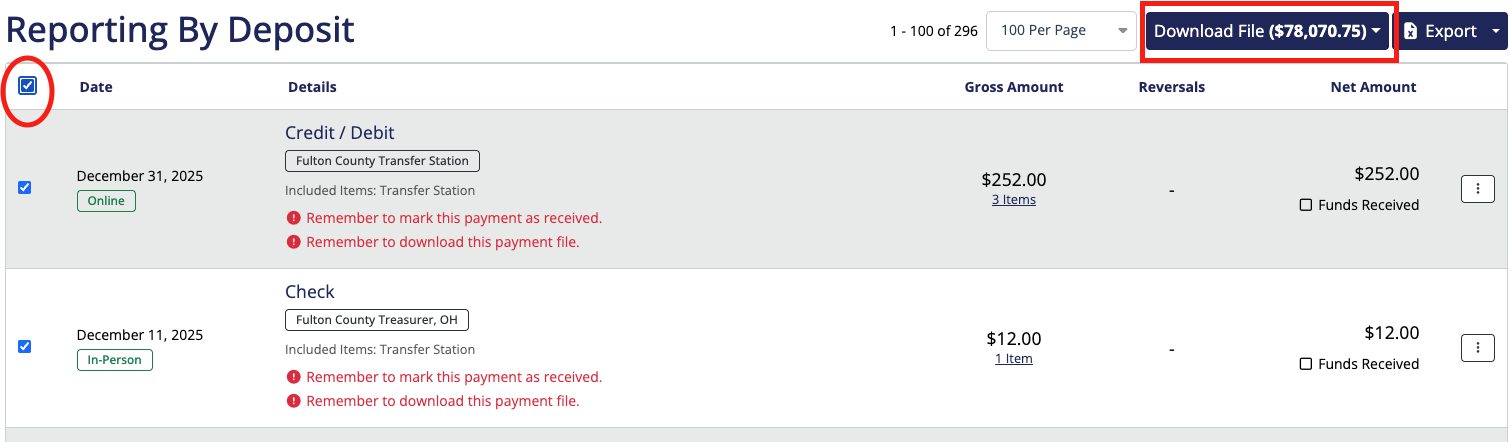
"Select All" Enhancement for MuniciPay Batch Downloads
Downloading multiple batch records just got easier! Located under the Reports tab, under By Deposit, you can now use the new "Select All" option to select all filtered records at once for download. No more checking each record individually making batch downloads faster and more efficient.
Note: The "Select All" download feature is limited to 10,000 total items. If the combined item count across selected batches exceeds this limit, select batches with fewer items so the total does not exceed 10,000.
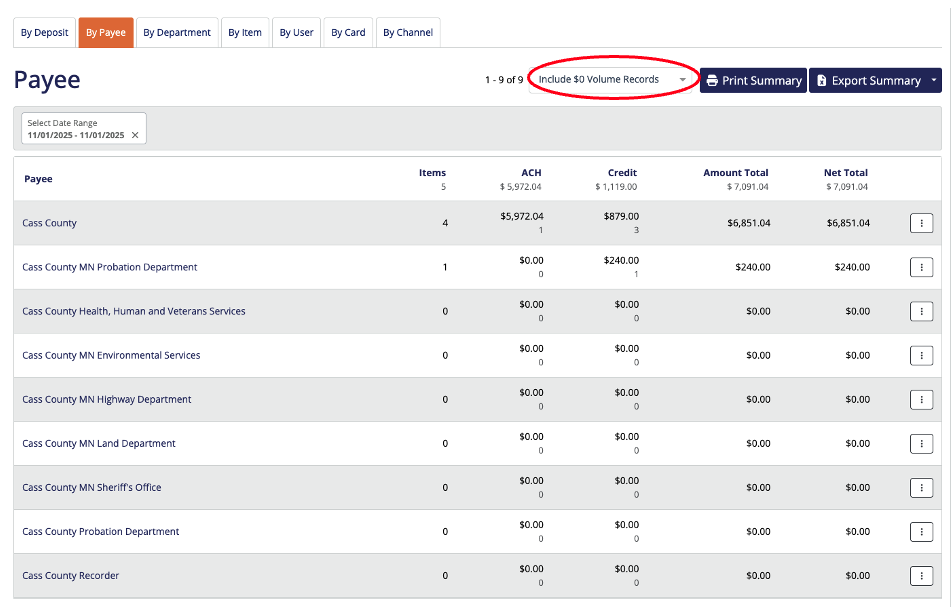
Show $0 Volume Departments and Items in MuniciPay Reports
Reports now have the option to include departments/items with $0 in volume for the selected date range. This ensures you have a complete view of all departments, even those without activity during the reporting period making analysis and audits more thorough.
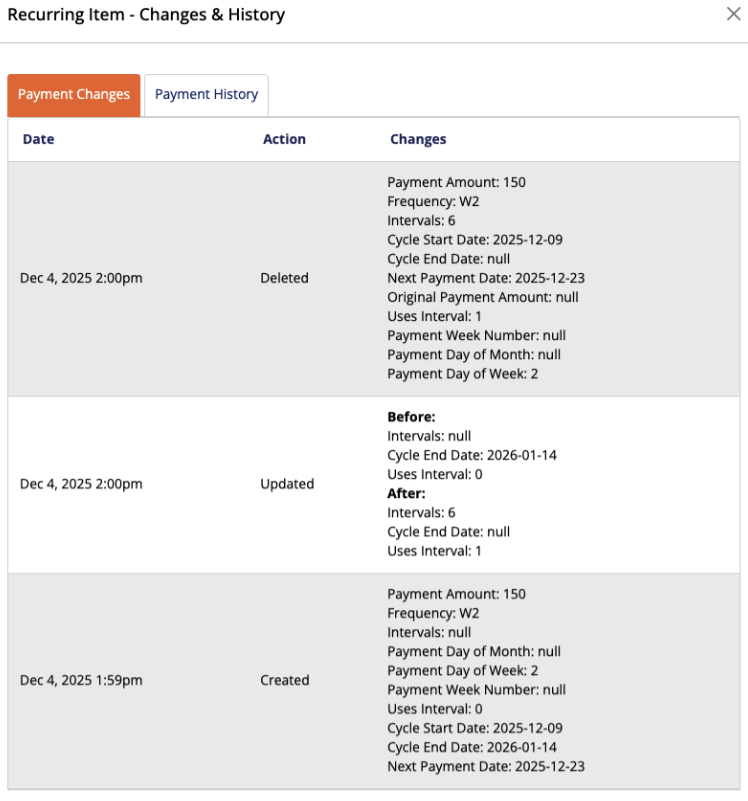
View Audit Log for Recurring Payment Changes
You can now view the audit log for recurring payment changes on each recurring item record. A new menu option opens a modal, displaying the item history, including updates tracked in the system. The modal also shows payment history for the recurring item, providing a clear view of all changes and transactions tied to that schedule. This enhancement helps offices track updates and reconcile recurring payments more efficiently.
IVR Enhancement: Service Fees Announced Before Payment Selection
When customers call your IVR to make a payment, the system now announces the service fee rates before they select a payment method. After hearing the fee amounts, customers can change their payment method if desired, giving them greater transparency and control during the payment process.
Was this article helpful?
That’s Great!
Thank you for your feedback
Sorry! We couldn't be helpful
Thank you for your feedback
Feedback sent
We appreciate your effort and will try to fix the article